The Top 12 Free AI Selfie Generator Tools to Create Stunning Avatars in 2024
November 30, 2025
Introduction
Ready to level up your social media profiles, create a professional headshot, or just have some fun with digital art? This guide explores the top 12 free AI selfie generator tools that can instantly transform your photos into stunning, stylized, or professional-looking images. We'll dive into what makes each tool unique, from creating talking avatars to generating photorealistic portraits, so you can find the perfect fit for your creative needs.
Why This Topic Matters
Finding the right free AI selfie generator can be a challenge in a crowded market. Some tools offer incredible realism for corporate headshots, while others excel at artistic transformations perfect for content creators and influencers. This listicle cuts through the noise, providing a comprehensive resource to help you select the ideal platform whether you're a professional needing a new LinkedIn photo, a gamer crafting an avatar, or just exploring creative expression.
The Best Free AI Selfie Generator Tools: A Detailed Guide
This guide provides an honest assessment of each tool’s capabilities and limitations. Each entry includes screenshots for a real-world preview and direct links to get you started immediately. We analyze everything from Microsoft Designer's integration to Adobe Firefly's powerful engine, ensuring you have all the information necessary to choose the best generator for your specific project.
1. Microsoft Designer – Image Creator
Microsoft Designer’s Image Creator is a powerful and accessible tool that functions as an excellent free AI selfie generator, especially for users integrated into the Microsoft ecosystem. While not a dedicated selfie app, it leverages DALL-E 3 technology to transform text prompts into high-quality, stylized portraits and avatars. You can upload an existing photo to apply new styles or generate a completely new image from a detailed description. Its direct integration with Microsoft Designer allows you to seamlessly move your generated selfie into a social media graphic, presentation slide, or other design project.
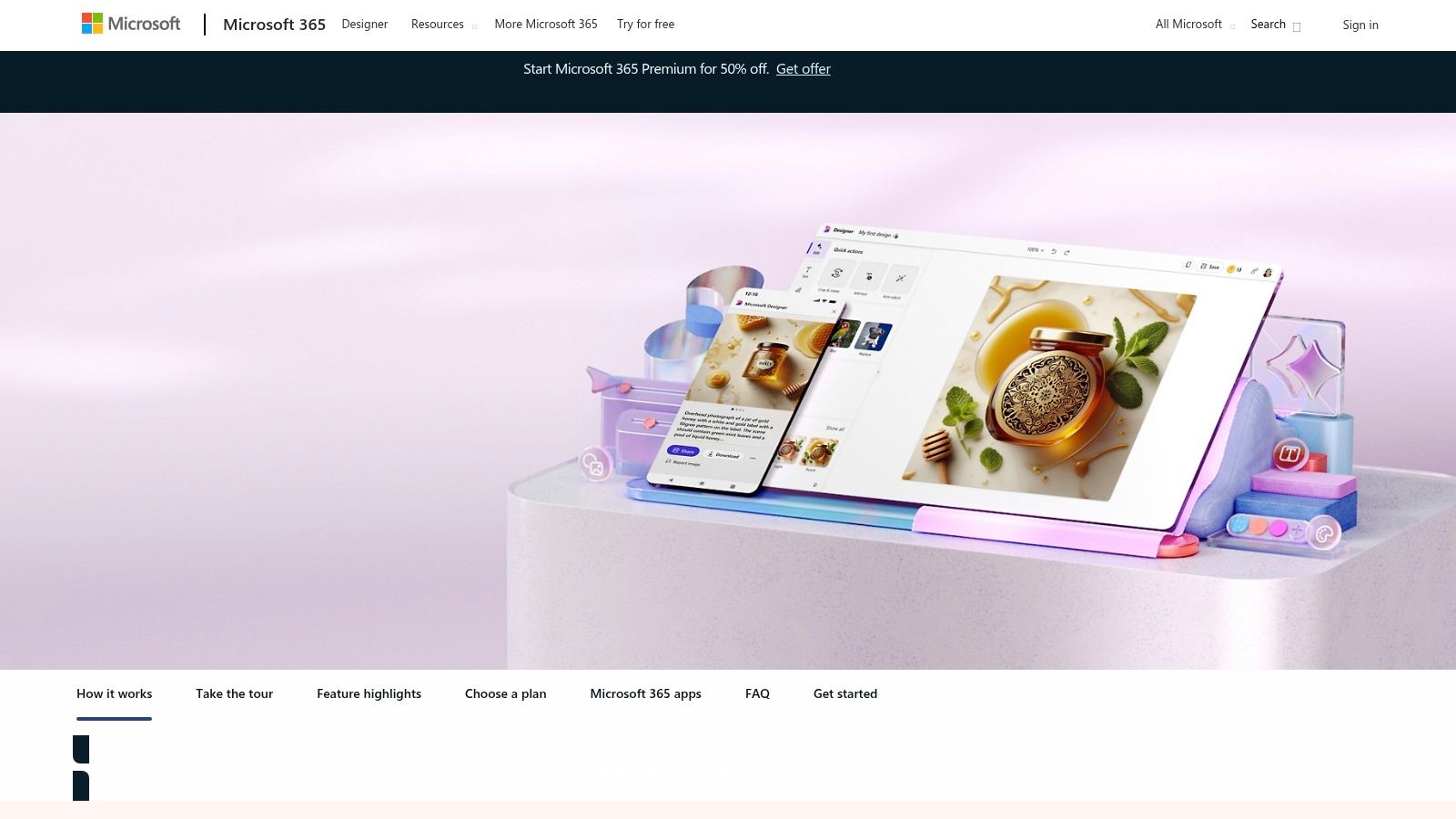
This tool is ideal for content creators and professionals who need a quick, polished profile picture or a unique character image without a steep learning curve. Access is straightforward with a Microsoft account, which provides a monthly allotment of "boosts" (credits) for faster image generation. If you run out, generation is slower but still free. Subscribers to Microsoft 365 receive a larger monthly allowance of boosts.
- Best For: Creating stylized avatars and profile pictures for social media or professional use.
- Pricing: Free with a Microsoft account (includes monthly credits); more credits with Microsoft 365 subscription.
- Key Feature: Seamless integration with the broader Microsoft Designer suite for immediate use in creative projects.
Pros:
- Completely free to use with a standard Microsoft account.
- Simple, user-friendly interface suitable for beginners.
- Integrates directly with Microsoft 365 apps.
Cons:
- Free use is credit-based, which can lead to slower generation times.
- Fewer specialized selfie-editing controls than dedicated apps.
Website: https://www.microsoft.com/en-us/microsoft-365/microsoft-designer
2. Adobe Firefly (web) and Adobe Express
Adobe Firefly, integrated within the Adobe Express suite, is a professional-grade tool that doubles as a powerful free AI selfie generator. It’s designed for creators who prioritize high-quality results and commercial safety. Users can generate highly realistic headshots from text prompts or use the innovative Generative Fill feature to seamlessly add, remove, or replace elements in an existing selfie. Its strength lies in producing photorealistic portraits and giving users fine-tuned control over style, lighting, and composition, making it a top choice for professional profile pictures or creative character designs.
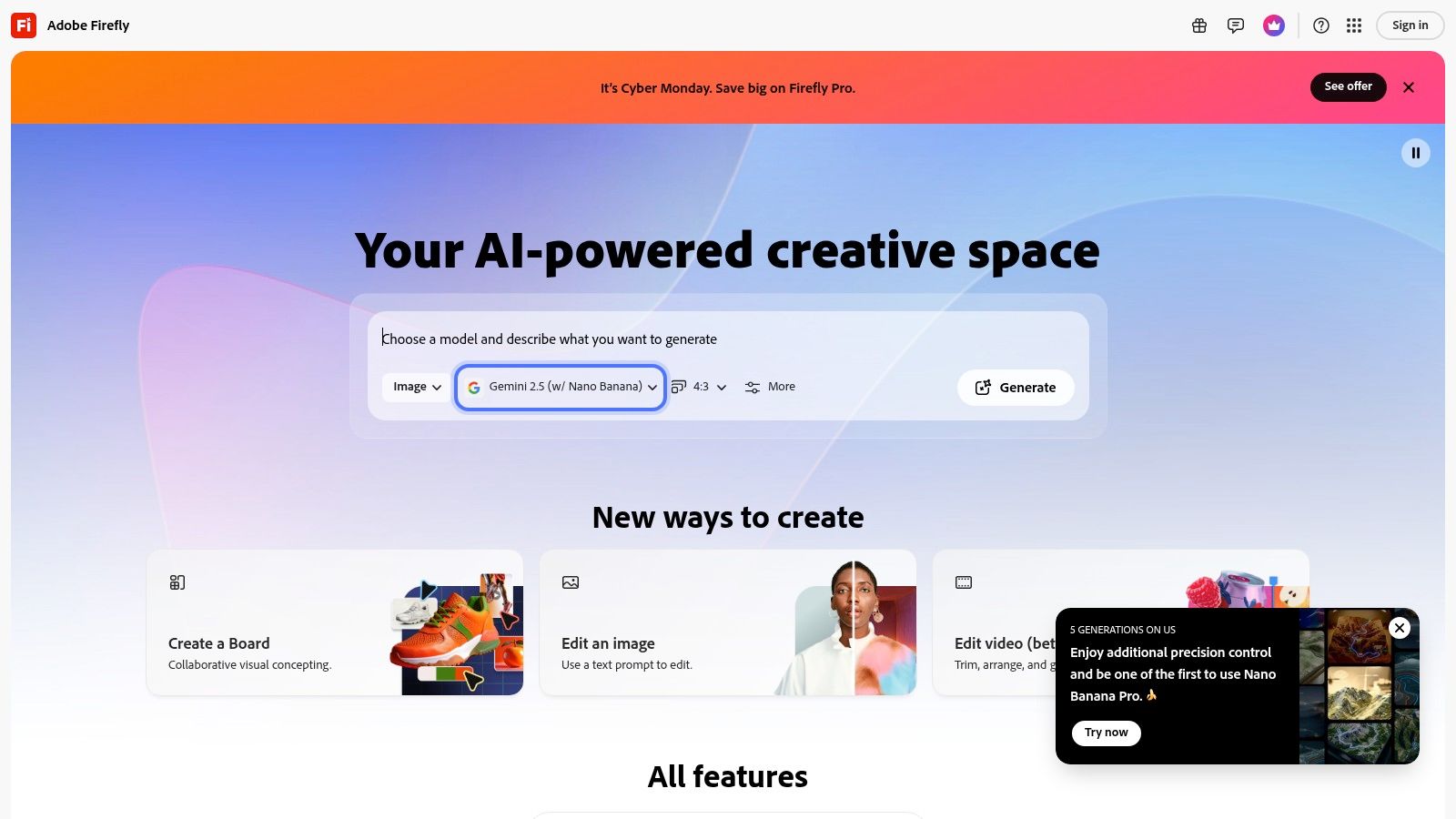
Adobe provides a free tier that includes a monthly allocation of generative credits, which are used for creating and editing images. While this credit system can be a bit confusing, it offers substantial value for casual users. The platform’s models are trained on licensed content, which Adobe states makes the outputs commercially safe. The creative possibilities extend beyond simple selfies, as seen in various artistic applications.
- Best For: Creating commercially safe, realistic profile pictures and artistic portraits with advanced editing.
- Pricing: Free tier with monthly generative credits; paid plans (Standard/Pro) offer more credits and features.
- Key Feature: Generative Fill allows for precise editing of existing photos, offering more control than simple text-to-image tools.
Pros:
- High-quality, realistic image generation suitable for professional use.
- Outputs are designed to be commercially safe.
- Strong integration with the broader Adobe creative ecosystem.
Cons:
- The credit system can be confusing and limits free usage.
- Some premium features and higher credit consumption require a paid plan.
Website: https://firefly.adobe.com
3. Canva – AI Profile Picture / Headshot maker
Canva has integrated a powerful AI Profile Picture and Headshot maker directly into its vast design ecosystem, making it a go-to free AI selfie generator for anyone needing a polished image for immediate use. Users can upload a selfie and the tool generates multiple professional or stylized variants. What makes Canva stand out is its seamless workflow; once you generate a headshot you like, you can instantly drop it into a resume template, a LinkedIn banner, or a social media post without ever leaving the platform.
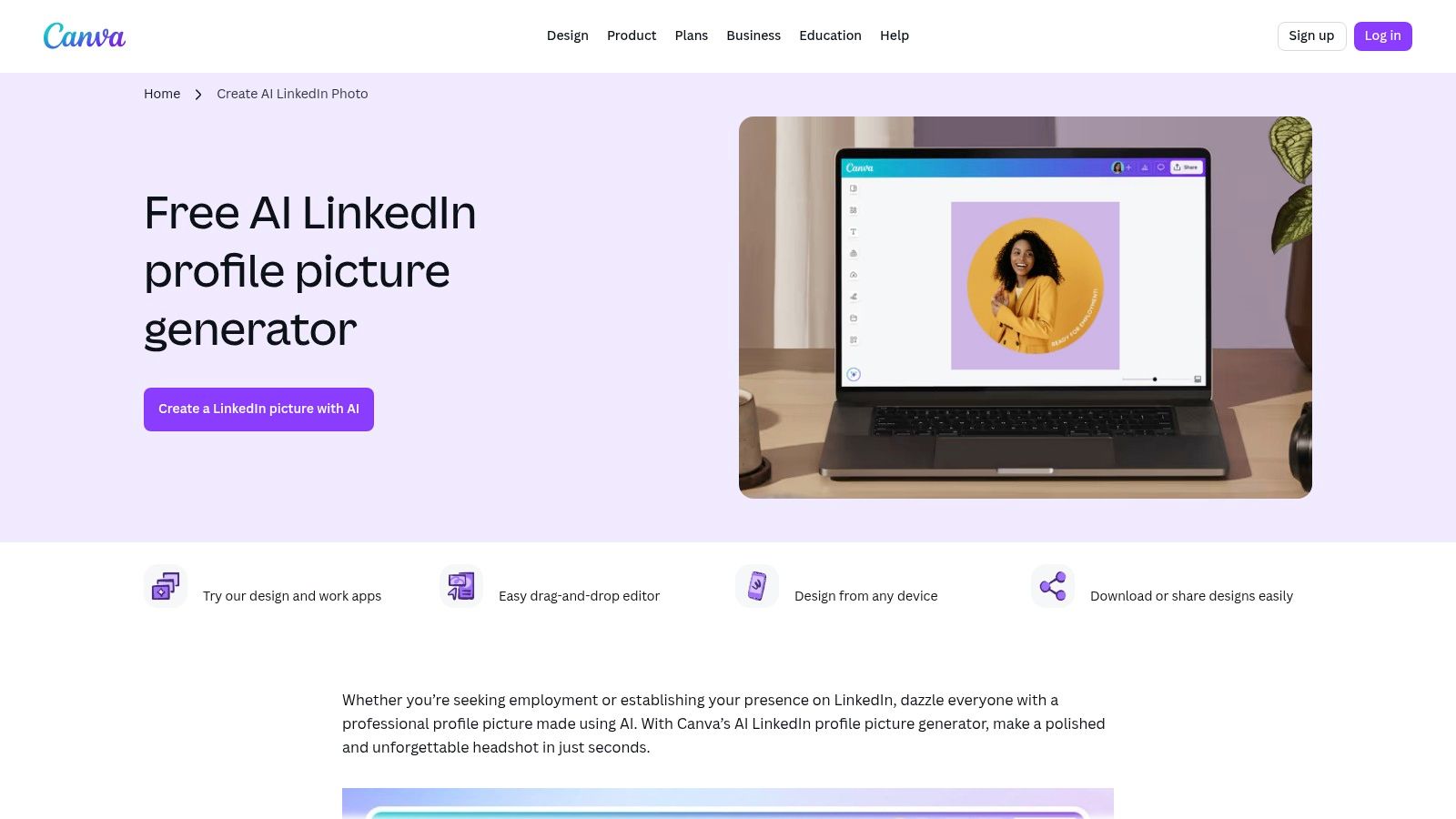
This tool is especially useful for job seekers, influencers, and professionals who need to maintain a consistent brand identity across multiple platforms. The free plan provides a limited daily allowance for generating new shots, which is typically sufficient for quick updates. While the core generation is free, some of Canva’s more advanced editing features, like the Magic Eraser or background remover, are reserved for Canva Pro subscribers. However, the core functionality offers tremendous value within its free tier.
- Best For: Users who need to create and immediately use professional headshots in resumes, social media graphics, or branding kits.
- Pricing: Free to use with a daily allowance for generations; Canva Pro subscription unlocks advanced editing features and higher usage limits.
- Key Feature: Direct integration with Canva's extensive library of templates, allowing for immediate design application of the generated selfie.
Pros:
- Extremely user-friendly interface, perfect for non-designers.
- Free daily allowance is great for casual use and profile refreshes.
- Vast ecosystem of templates for using your new headshot right away.
Cons:
- Advanced editing tools like background removal require a Canva Pro subscription.
- The number of free daily generations is limited.
Website: https://www.canva.com/create/linkedin-profile-picture/
4. Fotor – AI Selfie / Avatar / Headshot generators
Fotor positions itself as a comprehensive photo editor and serves as an effective free AI selfie generator through its collection of specialized tools. Rather than a single function, it offers an AI Selfie Generator, AI Avatar creator, and an AI Headshot generator, all within one platform. Users can upload a photo and transform it with one click into various styles, including anime, realistic portraits, 3D characters, and professional business photos. This makes it a versatile choice for users looking to experiment with different digital personas without switching between apps.
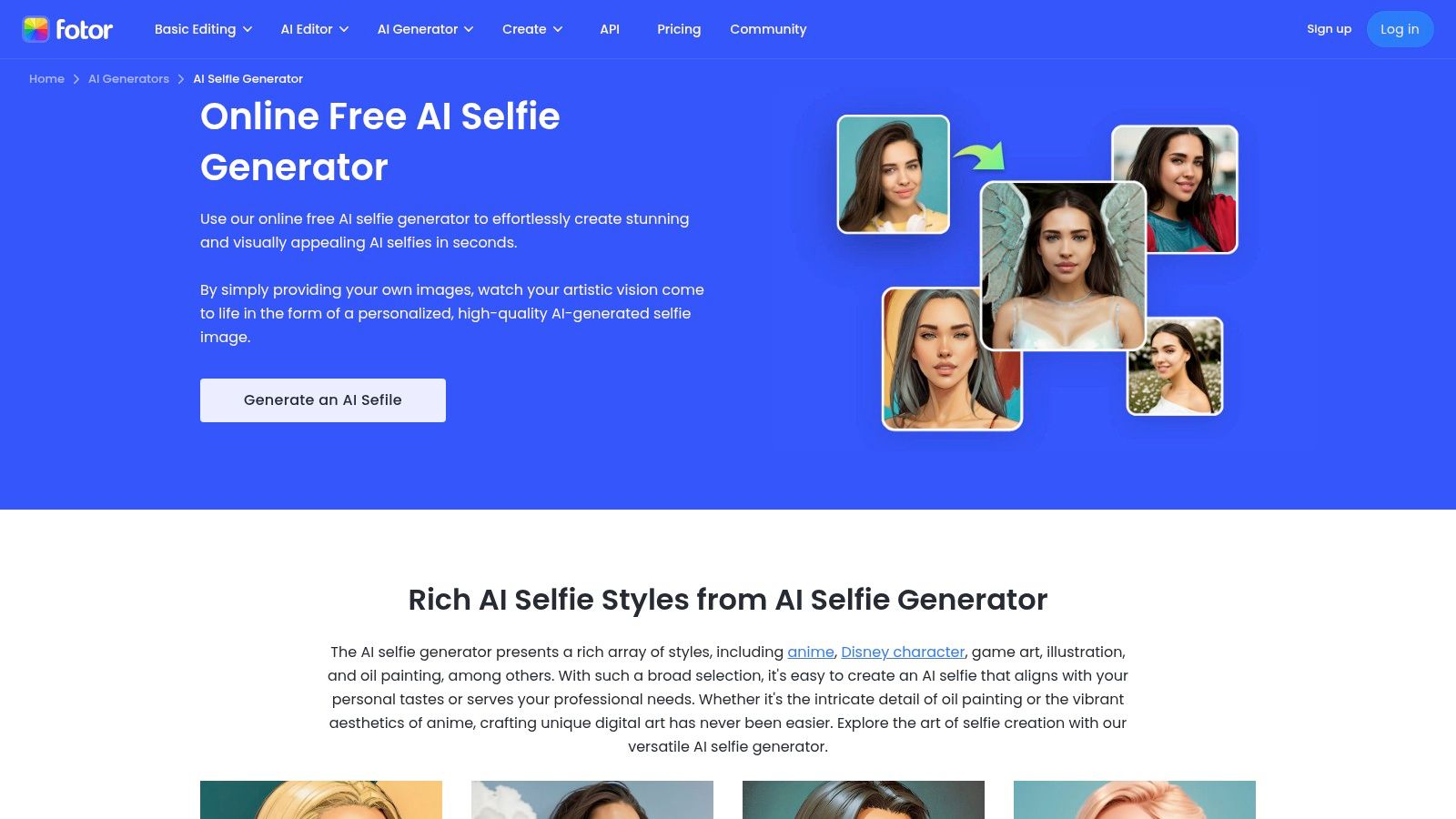
The platform operates on a freemium model, providing new users with a limited number of generative credits to test its features. This is ideal for those who want to quickly create a few images for social media or just for fun. While it advertises watermark-free downloads for certain workflows, many of the higher-quality outputs and advanced features are locked behind its Pro and Pro+ subscriptions, which provide more credits and unlock the full suite of tools.
- Best For: Users wanting a variety of portrait and avatar styles in a single, easy-to-use editor.
- Pricing: Free tier with limited credits; paid Pro and Pro+ plans offer more credits and features.
- Key Feature: Multiple dedicated AI portrait tools (Selfie, Avatar, Headshot) offering a wide range of stylistic outputs.
Pros:
- Offers a broad selection of AI portrait tools on one platform.
- Fast, one-click generation process supports multiple devices.
- Free-to-try model allows users to test capabilities with credits.
Cons:
- The best features and highest quality results require a paid subscription.
- Some users report inconsistencies and frequent prompts to upgrade to paid plans.
Website: https://www.fotor.com/features/ai-selfie-generator/
5. Picsart – AI Avatar
Picsart is a household name in mobile photo editing, and its AI Avatar feature extends its capabilities into the AI generation space. This tool serves as a versatile free AI selfie generator, allowing users to transform their photos into a wide range of stylized avatars and headshots. Beyond static images, Picsart uniquely offers the ability to create over 1,000 types of talking video avatars, making it a powerful choice for dynamic content on social media or in presentations. The platform guides you through the selfie upload process, making it simple to get started.
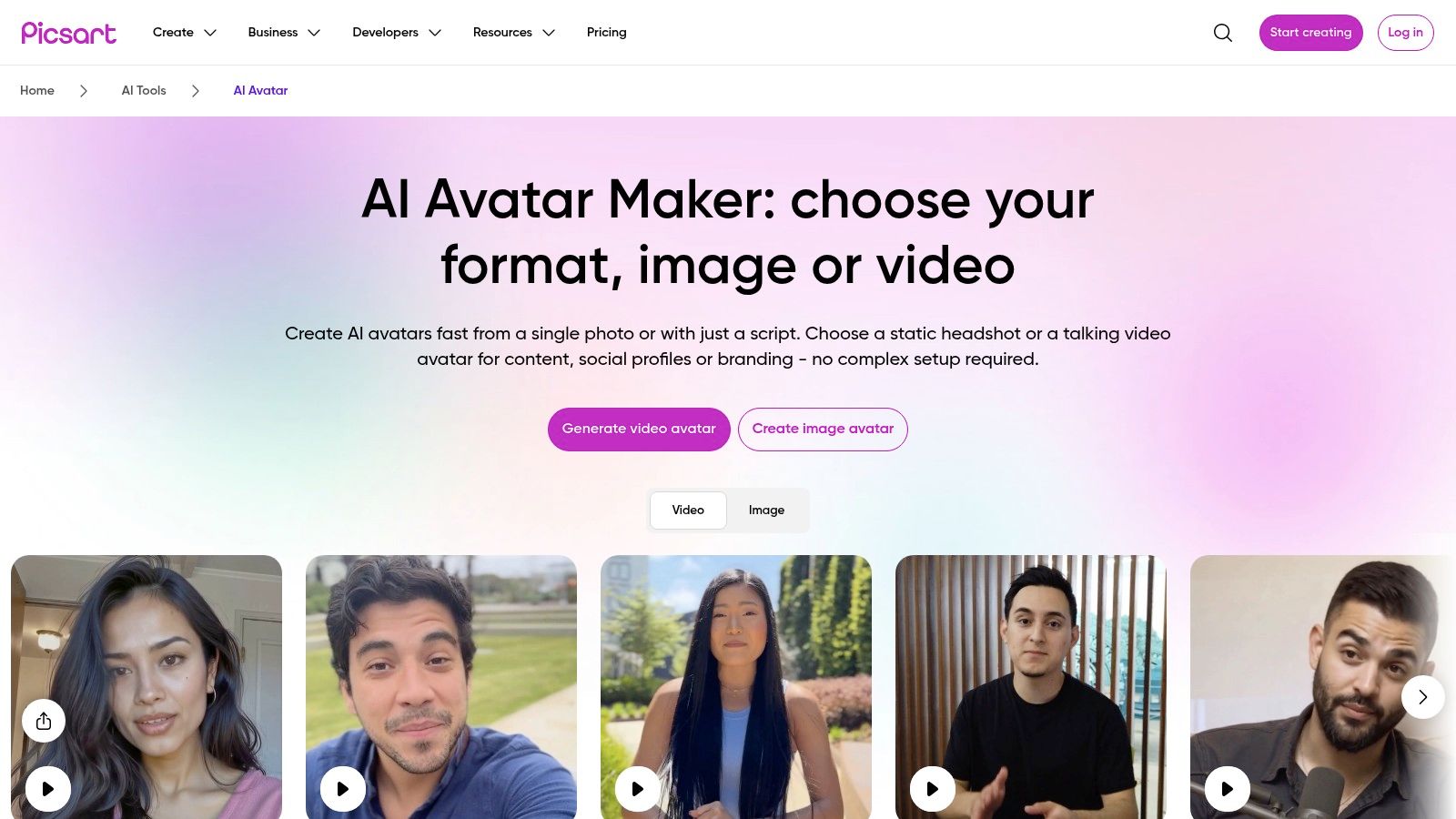
This platform is particularly suited for content creators and influencers who need both static profile pictures and engaging video content. While Picsart provides a free plan with a small weekly allowance of AI credits for certain features, it's important to note that full AI Avatar image packs are typically sold as separate in-app purchases. This model allows users to sample the technology for free before committing to a paid pack for a wider variety of results. For more ideas on how to use AI-generated images, you can learn about creating an AI poster.
- Best For: Creating both static and talking video avatars for social media and content creation.
- Pricing: Free plan with limited weekly AI credits; full avatar image packs are paid one-offs.
- Key Feature: Offers over 1,000 talking video avatars and script-to-video speech functionality.
Pros:
- Excellent for both static images and dynamic video avatars.
- User-friendly interface, especially on mobile devices.
- Large library of styles and assets to choose from.
Cons:
- Full AI Avatar packs are not covered by free credits and require a one-time payment.
- The free weekly credit allowance is limited.
Website: https://picsart.com/ai-avatar
6. CapCut – AI Avatar generator
CapCut, primarily known as a powerful video editor from ByteDance, integrates a versatile AI Avatar tool that excels as a free AI selfie generator for dynamic content. Instead of just static images, it specializes in transforming your selfies into animated, talking avatars perfect for social media. Users can upload a photo and watch it come to life with a vast selection of AI voices and digital human styles. This makes it a go-to choice for creators aiming to produce engaging short-form video content for platforms like TikTok and Instagram Reels.

The platform is engineered for a seamless transition from avatar generation to video editing, all within one application available on both web and mobile. Its strength lies in the sheer volume of customization options, with over 150 AI voices and numerous digital human categories to choose from. While the core features are free to start, some advanced avatar styles or high-resolution exports may require a subscription. CapCut’s direct pipeline to social media makes it an invaluable tool for influencers and content producers.
- Best For: Creating animated talking avatars from selfies for short-form video and social media.
- Pricing: Free to start; some advanced features and export options may be part of a Pro subscription.
- Key Feature: Direct integration with a full-featured video editor and a massive library of AI voices and styles.
Pros:
- Excellent for creating engaging video content for platforms like TikTok.
- A wide selection of over 150 AI voices and numerous avatar styles.
- Free-to-use core features make it highly accessible for new creators.
Cons:
- Some of the best avatar features are locked behind a paywall.
- More focused on video output than creating static profile pictures.
Website: https://www.capcut.com/tools/ai-avatar
7. FaceApp
FaceApp is one of the most popular and viral mobile applications that functions as a powerful AI selfie generator, specializing in realistic and often dramatic facial transformations. It excels at applying one-tap edits that can completely alter a selfie, from adding makeup and retouching skin to simulating aging effects, changing hair colors, and even adding a smile. The app’s strength lies in its simplicity and the instantly shareable quality of its results, making it a go-to for casual social media fun and quick-touch-ups without a complex editing process.
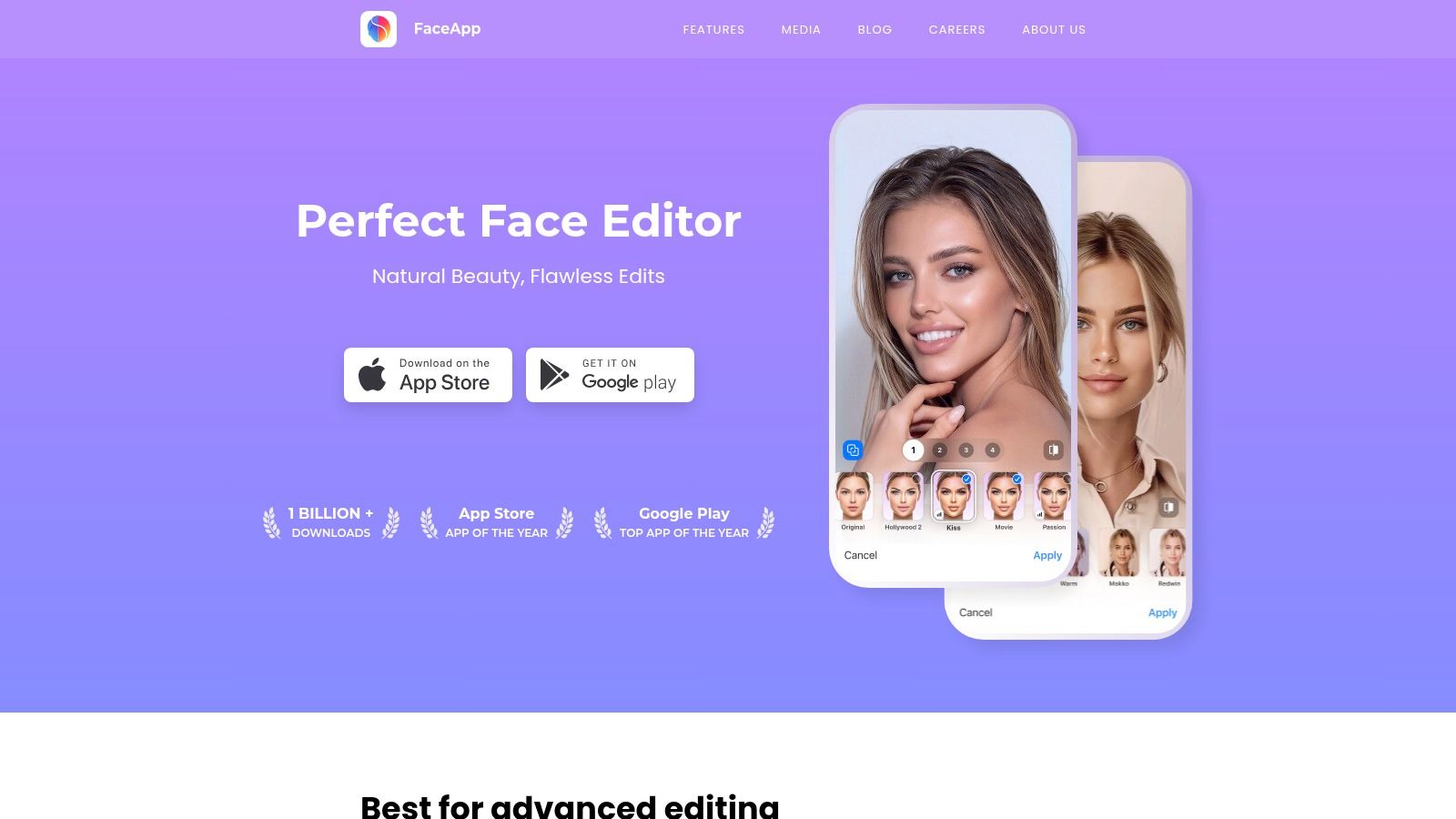
While the free version provides a solid set of tools, many of the most impressive and trending filters are reserved for the Pro subscription. Users on the free tier should also expect to see ads and potential watermarks on their exported images. Despite these limitations, FaceApp remains a benchmark for user-friendly AI photo editing, offering an extensive library of effects that are incredibly easy to apply. You can discover how these AI features work to create such convincing edits.
- Best For: Quick, fun, and realistic social media selfie transformations and touch-ups.
- Pricing: Free version available; Pro subscription unlocks all features, removes ads, and removes watermarks.
- Key Feature: An extensive library of one-tap realistic effects, including aging, makeup, and hair styling.
Pros:
- Extremely easy-to-use interface with instant, one-tap results.
- Popular and widely used, making it great for casual, shareable edits.
- Offers a wide variety of convincing and fun transformations.
Cons:
- Many of the best and most popular filters are locked behind a paywall.
- The free version includes advertisements and may add a watermark to photos.
Website: https://www.faceapp.com/
8. Snapchat – Imagine Lens
For users looking for a fun, fast, and socially integrated free AI selfie generator, Snapchat’s Imagine Lens is a standout option. Built directly into the familiar Snapchat app, this feature uses an open-prompt AI Lens to transform your selfies or scenes with simple text commands. You can instantly see yourself in a fantastical landscape, a different artistic style, or a comical situation, all without leaving the app. This seamless integration makes it perfect for creating unique content for your Story or sharing directly with friends.
This tool is designed for casual users and social media enthusiasts who prioritize speed and shareability over deep customization. Its primary advantage is its frictionless experience; if you already use Snapchat, you can access this feature instantly. While Snap has made it available for free in the U.S., generations are limited, and availability can vary by region. The results are often playful and creative, aligning perfectly with Snapchat's ephemeral and entertainment-focused environment.
- Best For: Creating quick, fun, and shareable AI-stylized selfies within a social media app.
- Pricing: Free for U.S. users with a limited number of daily generations; availability varies by region.
- Key Feature: Direct integration into the Snapchat camera and sharing ecosystem for immediate social use.
Pros:
- Extremely easy to use for existing Snapchat users.
- Instantly shareable results to your Story or with friends.
- Provides fast, entertaining selfie transformations.
Cons:
- Free use is limited by a daily generation cap.
- Availability and features vary depending on your geographic location.
- Fewer advanced editing or high-resolution options than standalone tools.
Website: https://www.snapchat.com
9. NightCafe Studio
NightCafe Studio is a well-established AI art platform that serves as a versatile free AI selfie generator for users who enjoy community and creative exploration. Instead of focusing solely on selfies, it offers a broad suite of tools where you can upload a portrait and apply a vast range of artistic styles. The platform's strength lies in its multiple AI models and transparent credit system, allowing you to experiment with different aesthetics to find the perfect look for your AI-generated selfie.
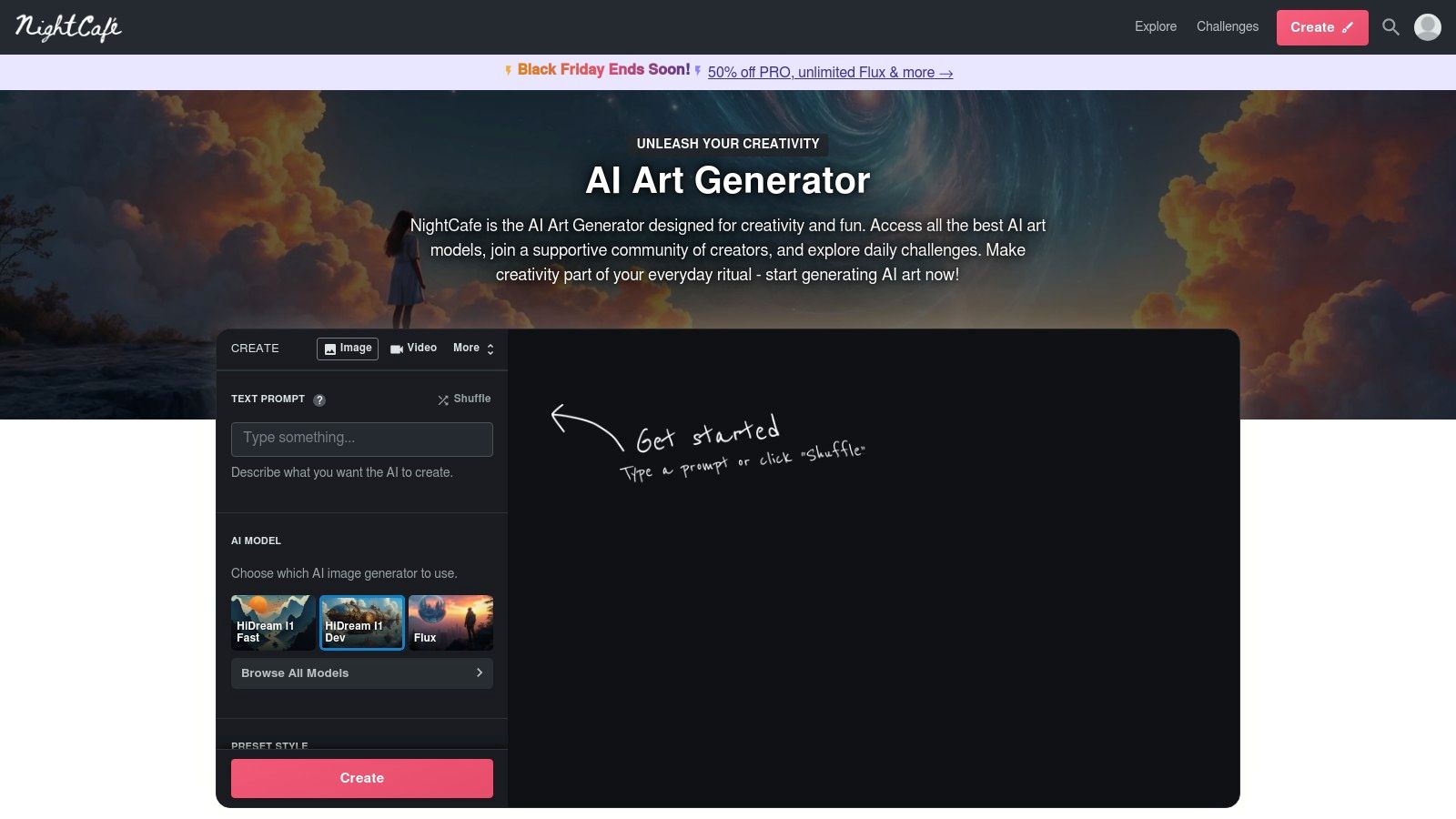
This tool is great for hobbyists and digital artists who want to be part of an active community. NightCafe provides daily free credits (typically around five) and opportunities to earn more by participating in community challenges. This model encourages consistent engagement without requiring an immediate subscription. While the user experience can feel busy due to its many features, the straightforward upload-and-stylize workflow for portraits makes it highly accessible for creating unique AI selfies.
- Best For: Users who enjoy community engagement and experimenting with multiple AI art models.
- Pricing: Free with daily credits; paid tiers available for more credits and premium features.
- Key Feature: A transparent credit system combined with a vibrant, challenge-driven community.
Pros:
- Provides daily free credits, making it consistently accessible.
- Easy upload-and-stylize process for transforming existing selfies.
- Active community and mobile apps enhance the user experience.
Cons:
- The user interface can feel cluttered for new users.
- Output quality can vary significantly depending on the AI model chosen.
Website: https://nightcafe.studio
10. Leonardo.ai
Leonardo.ai is a comprehensive AI image generation platform that excels as a free AI selfie generator, particularly for users seeking photorealistic or highly stylized portraits. It stands out by offering access to a variety of specialized models, including those fine-tuned for lifelike images, making it easy to create stunning digital selfies from text prompts. The platform’s community-centric approach allows you to browse and get inspired by creations from other users, providing a great starting point for your own projects.
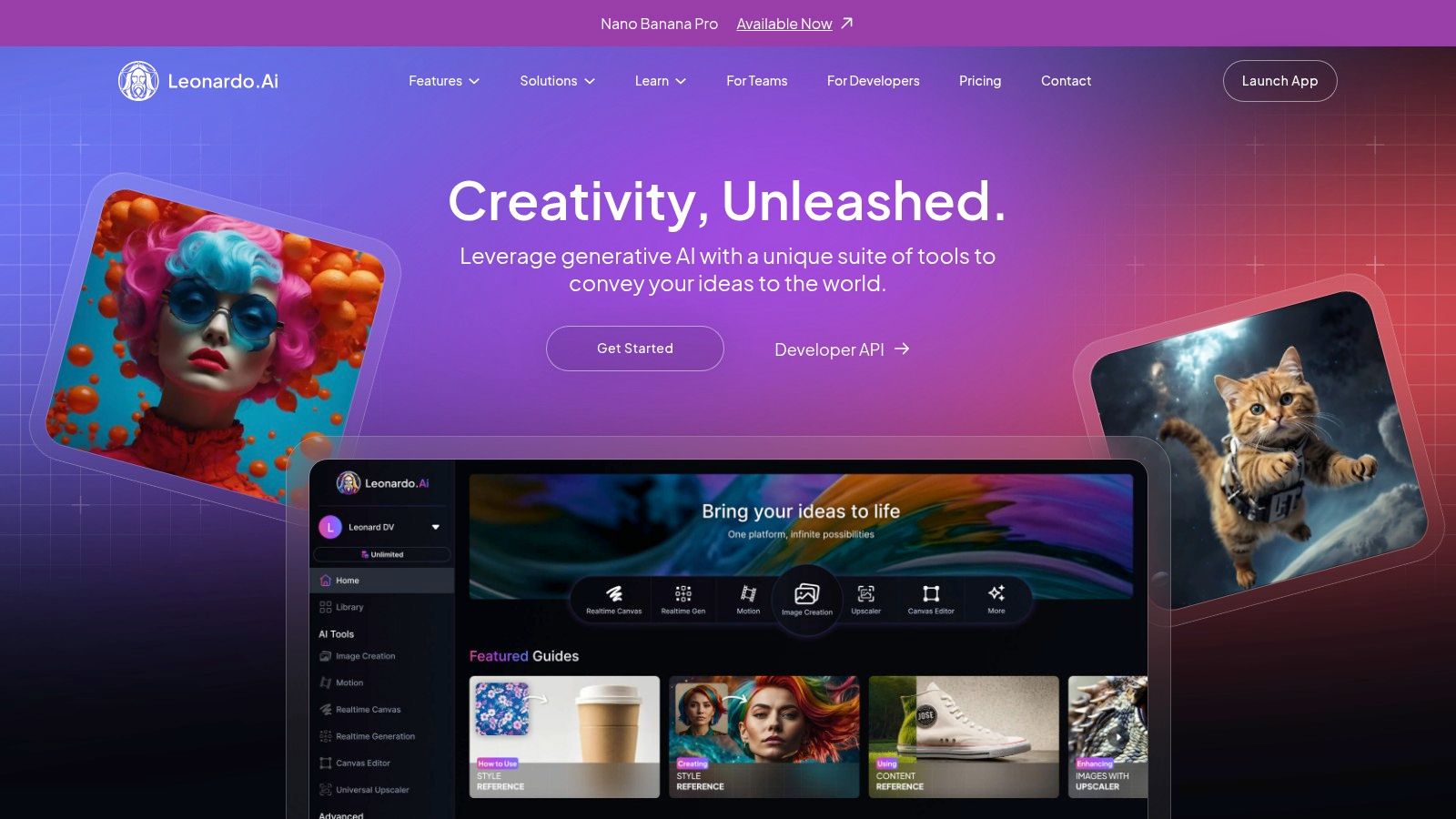
This tool is perfect for artists, designers, and hobbyists who want more control over the final look of their generated selfies. The free plan provides a generous daily allotment of "Fast Tokens," which are used to generate images quickly. If you run out, you can still create images, though at a slower pace. Paid tiers are available for users who need more tokens, private generation mode, and access to advanced features like API integration.
- Best For: Creating photorealistic portraits and exploring different artistic styles with a powerful set of tools.
- Pricing: Free plan with daily Fast Tokens; paid tiers offer more credits and advanced features.
- Key Feature: Access to multiple specialized models, including photorealism options, for greater creative control.
Pros:
- Strong photorealism capabilities and actively developed features.
- Generous free tier with daily renewing credits.
- Good for both casual selfie experiments and advanced workflows.
Cons:
- Free generations are public by default; private mode requires payment.
- Higher token quotas and premium features are behind a paywall.
Website: https://leonardo.ai
11. Playground (Playground.com)
Playground is a versatile and user-friendly design tool that doubles as an effective free AI selfie generator. It combines powerful text-to-image capabilities with intuitive image editing, making it an excellent choice for users who want to quickly create stylized avatars and social media-ready images. Its template-first approach simplifies the creative process, allowing you to select a style and apply it to a new generation or an uploaded selfie with just a few clicks, lowering the barrier to entry for beginners.
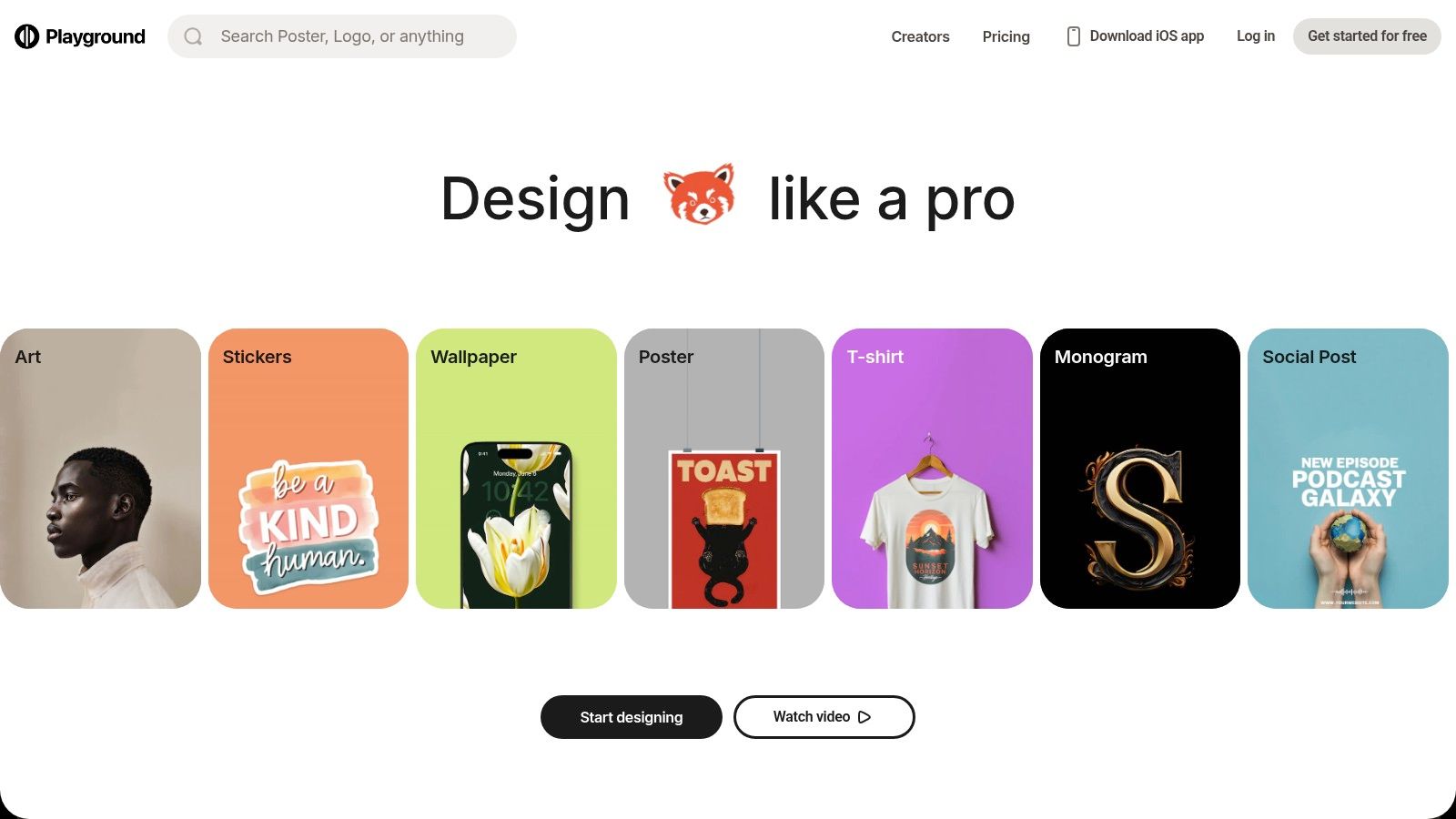
The platform is built for speed and experimentation. Users can generate a set number of images per day on the free plan, which is ideal for casual creators or those testing different aesthetics. While the free tier has usage caps on edits and downloads, it provides ample opportunity to explore the tool’s potential. For more intensive use, paid Pro subscriptions unlock higher limits and additional features, but the core functionality remains accessible to everyone.
- Best For: Quick avatar creation and social content experiments using pre-built templates.
- Pricing: Free tier with daily image generation limits; Pro subscriptions available for higher usage.
- Key Feature: A template-first editing experience that simplifies applying complex styles to selfies.
Pros:
- Clean, simple interface that is great for fast-paced creation.
- Helpful template system for generating social-ready content.
- Free tier is generous enough for casual experimentation.
Cons:
- Free plan quotas and feature availability have been known to fluctuate.
- Some community members have reported changes to limits and pricing.
Website: https://playground.com
12. Artbreeder
Artbreeder offers a unique, collaborative approach to AI portrait generation, making it a fascinating free AI selfie generator for users who enjoy experimentation. Instead of relying solely on text prompts, Artbreeder allows you to "breed" or remix existing images to create new, stylized faces. You can upload a selfie and then use intuitive sliders to adjust genetic-like traits such as age, gender, and artistic style, effectively cross-breeding your image with others in the community or with AI-generated attributes to produce truly unique character art.
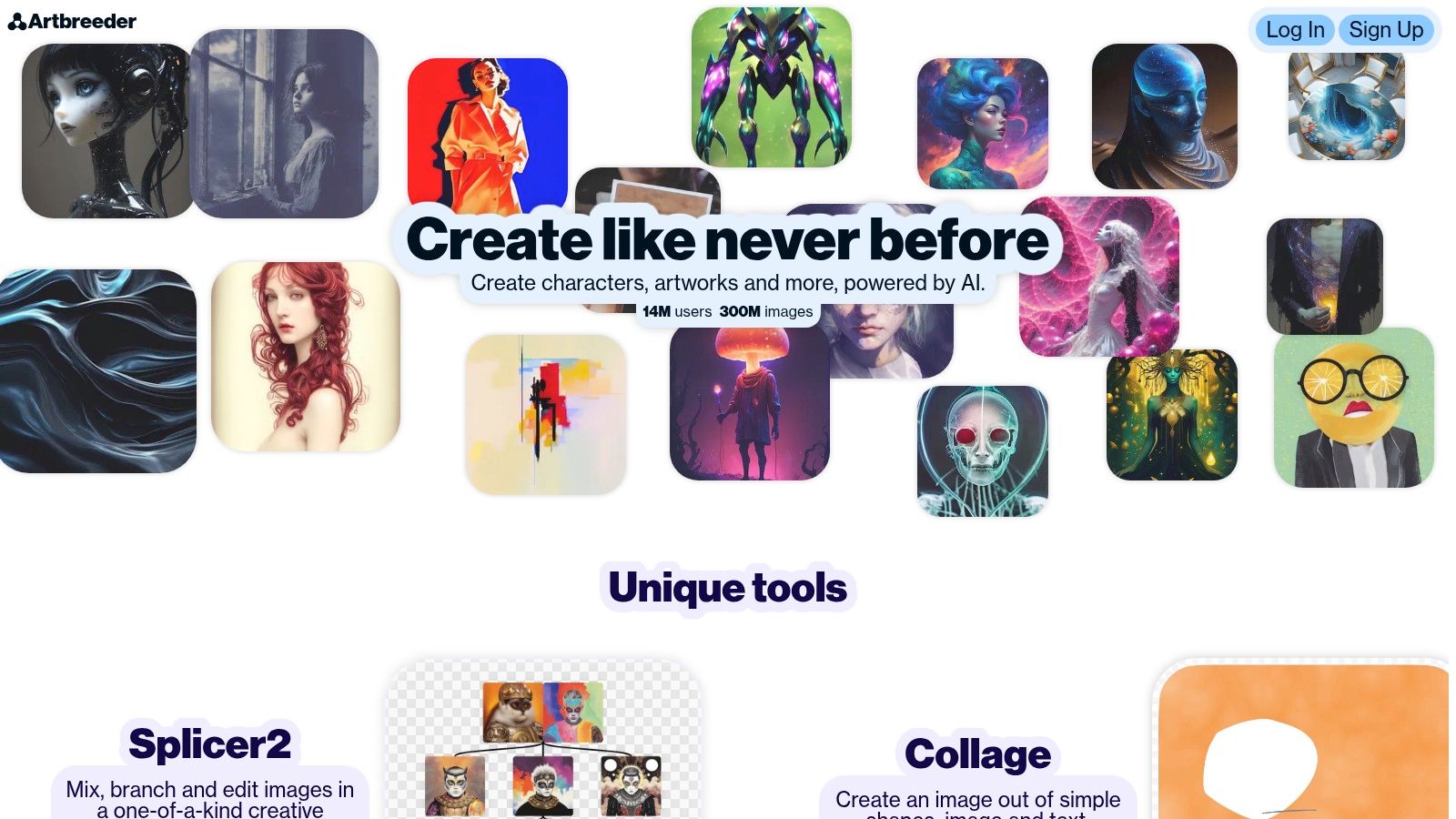
This platform is ideal for artists, designers, and anyone looking to create highly stylized character portraits rather than photorealistic selfies. The community aspect is a core part of the experience, as you can build upon the creations of others. The free plan provides a monthly allowance of credits for generating and remixing images, though high-resolution downloads and privacy controls are reserved for paid tiers. For best results, start with a clear photo and gently tweak the sliders to avoid overly generic or distorted outcomes.
- Best For: Creating stylized character art and artistic portraits through image remixing.
- Pricing: Freemium model with monthly credits; paid tiers unlock high-resolution downloads and private mode.
- Key Feature: Unique "breeding" and slider-based system for fine-tuned creative control over facial features and styles.
Pros:
- Highly creative and unique method for generating portraits.
- Great for iterative design and discovering unexpected artistic styles.
- Community-driven platform provides endless inspiration.
Cons:
- The free plan limits image resolution and the number of downloads.
- Outputs can sometimes look similar without careful manipulation of the sliders.
Website: https://www.artbreeder.com
Tips and Best Practices
To get the most out of any free AI selfie generator, follow these expert tips:
- Start with a high-quality photo: The better your input image, the better the AI's output will be. Use a clear, well-lit photo of your face, looking directly at the camera.
- Be specific with text prompts: When using text-to-image generators like Microsoft Designer or Leonardo.ai, use descriptive language. Instead of "a cool selfie," try "a photorealistic professional headshot of a person with brown hair, smiling, in a business suit, with a blurred office background, soft lighting."
- Experiment with different styles: Don't settle for the first result. Most platforms offer multiple artistic styles (e.g., anime, 3D, fantasy, cyberpunk). Try a few to see which one best fits your vision. For a specific aesthetic, you can create an anime aesthetic pfp with AI.
- Understand credit systems: Many "free" tools operate on a credit system, giving you a daily or monthly allowance. Use your credits wisely, and don't be afraid to wait for them to refresh if you're not on a paid plan.
- Iterate and refine: AI generation is a process. Your first attempt might not be perfect. Use features like Adobe's Generative Fill or Artbreeder's sliders to tweak and refine your image until you're happy with the result.
Examples and Use Cases
AI selfie generators aren't just for fun; they have practical applications across various fields:
- Professional Branding: Job seekers and entrepreneurs use tools like Canva and Fotor to create polished, consistent headshots for LinkedIn, business cards, and websites without the cost of a professional photographer.
- Social Media Content: Influencers and content creators use Picsart and CapCut to generate eye-catching static and video avatars that boost engagement and help define their online persona.
- Gaming and Virtual Worlds: Gamers use platforms like Leonardo.ai and Artbreeder to design unique character portraits and avatars for their profiles in online communities and virtual reality.
- Personalized Art: Anyone can turn a simple selfie into a piece of digital art suitable for printing as a gift, using the artistic styles available in NightCafe Studio or Playground.
FAQ
What is the best free AI that turns a picture into a selfie?
For turning a standard photo into a professional-looking selfie or headshot, Canva's AI Headshot maker is one of the best free options. It's incredibly user-friendly and allows you to upload an existing picture and generate multiple stylized or professional variants instantly. For more artistic transformations, Fotor offers a wide range of one-click styles.
Is there a completely free AI selfie generator?
Yes, several tools are effectively free, though most have some limitations. Microsoft Designer is completely free with a Microsoft account and offers DALL-E 3 powered generation. Others like Leonardo.ai and NightCafe Studio provide a generous daily or monthly allowance of free credits, which is often sufficient for casual users.
How do I create an AI avatar of myself for free?
You can create an AI avatar of yourself for free using several tools on this list. A simple method is to use Picsart, which lets you upload a selfie and generate various avatar styles. Fotor's AI Avatar generator is also a great choice, offering different themes like anime or 3D characters. Simply upload your photo, select a style, and let the AI do the work.
Conclusion
We've explored a dynamic landscape of creativity, diving deep into a dozen of the best free AI selfie generator tools available today. From the integrated powerhouses like Microsoft Designer and Adobe Firefly to the user-friendly mobile magic of Canva and Picsart, the options for transforming your self-portraits are more accessible than ever. The journey through these platforms reveals a clear trend: AI-powered image creation is no longer a niche skill reserved for tech experts. Whether you're a content creator looking to craft a consistent brand image, a professional aiming for a polished headshot, or simply curious about AI's creative potential, there is a tool perfectly suited to your needs.
Call-to-Action
Ready to apply AI's transformative power beyond selfies? Soccer Field Map & AI Soccer Videos uses similar cutting-edge technology to analyze game footage, creating insightful video highlights and tactical maps for players and coaches. Explore how AI is revolutionizing sports analysis at Soccer Field Map & AI Soccer Videos and take your game to the next level.
Related Content
AI Celebrity Content
More Blog Content
Community Video Collection
Browse amazing AI celebrity selfie videos created by our community. Click any video to explore the full gallery.
AI Celebrity Selfie with Soccer Star
Meet Ronaldo AI Selfie Generator
AI Selfie with Messi - Celebrity Video
Soccer Celebrity AI Selfie Example
AI Generated Celebrity Selfie Video
Meet Soccer Stars AI Selfie
AI Celebrity Photo Generator - Soccer Edition
Realistic AI Selfie with Celebrities
Create AI Selfies with Soccer Icons
Create AI Videos with Soccer Celebrities: Messi, Ronaldo, Haaland & Alex Morgan 🎉
Perfect for birthdays, celebrations, and special shoutouts.
Try AI Celebrities(parody and personal use only!)
Try Other AI tools
AI Soccer Stars Say It for You ⚽
Create personalized video messages from global soccer icons like Messi and Ronaldo. Perfect for birthdays, anniversaries, or any special moment. (Parody · Personal Use Only)
.png)
Send a Surprise from AI Messi ❤️
Imagine Lionel Messi delivering your message! Celebrate with a unique AI-generated video that makes every wish unforgettable. (Parody · Personal Use Only)
Wish Happy Birthday with AI Ronaldo 🎉
Give your friends and family the ultimate surprise — a birthday greeting from Cristiano Ronaldo himself, powered by AI. (Parody · Personal Use Only)